


HonestHustles Mission
HonestHustles helps people find legitimate ways to make money online through honest, hands-on reviews. We cover side hustles, online tools, paid-to-play platforms, and real earning opportunities without hype, fluff, or false promises.Every review is built around one simple question: Is this actually worth your time and money?We focus on what works, what it costs, and what to avoid.
Real Work in ProgressThis site is built and updated in real time, not quietly polished behind the scenes. That means you might occasionally run into a bug, broken link, or feature that is still being dialed in. That is part of the process.
Everything here is tested, improved, and pushed forward continuously to build something genuinely useful, not just something that looks finished.If you run into an issue, feel free to reach out. Feedback helps improve everything faster.







Reviews
Real Experiences Real Reviews.
Meshy AI – AI 3D Model Generator Review (Honest Test)
✅ Legit🤖 Meshy AI Review – I Use It for Concepts. Here's the Honest Story.
Meshy AI is impressive for ideation and fast concept generation, but it is not a "print-ready STL" button. That distinction matters — a lot.
It works best as a starting point, not a finished product. If you go in expecting instant, production-quality 3D prints, you'll be disappointed. If you treat it as a rapid concept and inspiration tool that still requires real modeling work afterward, it makes much more sense and can save serious time.
🪝 Why I Tried It
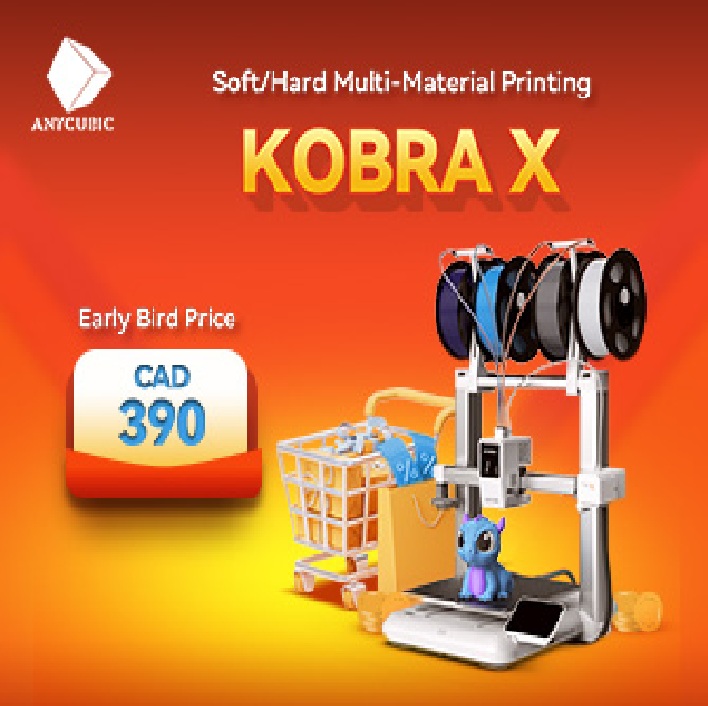
I run multiple 3D printers — Kobra 2 Plus, Kobra 2 Max, FlashForge AD5X, Kobra X — and I sell physical prints. Ideation speed matters. The faster I can go from "I think this would sell" to "here's a mesh I can prototype," the more designs I can test. Traditional CAD modeling is slow when you're just exploring. AI generators promised to shortcut that gap. Meshy was the most-recommended one in the maker communities I follow, so I gave it real time.
📊 What Meshy Actually Is
Meshy AI is a web-based generative 3D tool built by a company that raised $10M Series A funding in 2023 and reportedly has 500K+ active users and $5M+ ARR as of early 2026. It generates 3D models from either text prompts or uploaded images, supporting export to .obj, .fbx, .stl, .glb, .usdz, and .blend formats. It also offers texturing, animation, and AI auto-repair features.
Pricing as of May 2026:
- Free: 100 credits/month, CC BY 4.0 license (models are public), limited downloads
- Pro: $20/month — private assets, API access, 1,000+ credits, retries
- Max: $60/month — higher capacity, faster queue
- Enterprise/API: $90/month or custom
Key gotcha: failed generations still consume credits. That stings on the free tier and adds up on Pro.
🚀 The Meshy 6 Update
Meshy 6, the current model engine, focuses on:
- Geometry detail and surface quality
- Prompt interpretation accuracy
- Multi-view generation consistency
- Texture generation and material options
In practical use, Meshy 6 produces cleaner meshes and better overall shapes than earlier versions, especially for organic or artistic models. The platform also includes printability diagnostics and AI repair tools that attempt to detect and fix mesh issues automatically.
But the fundamental workflow hasn't changed. Most generated models still need cleanup before being fully ready for 3D printing — non-manifold edges, surface artifacts, thin geometry. Meshy 6 reduces some manual work, it doesn't eliminate post-processing.
🔧 How I Actually Use Meshy (My Workflow)
This is the part that matters more than the marketing.
I don't use Meshy as a one-click solution. I use it as a concept-to-mesh tool at the very start of the process. My actual workflow:
1. Start with an image or idea I think would make a printable product
2. Before uploading to Meshy, I run the image through ChatGPT first to clean it up and prep it for better AI interpretation. That step alone improves consistency of results.
3. Upload the refined image to Meshy and generate multiple versions, using the retries strategically
4. Download both STL and 3MF files so I have options to compare
5. Import the best result into 3D Builder, which automatically triggers a repair pass on load
6. Simplify or smooth the mesh in Blender or 3D Builder depending on complexity
7. Slice and tune settings based on which of my four printers I'm running
Used this way, Meshy saves real time during the idea-to-mesh stage. The cleanup and refinement after are still part of the process. That's the honest tradeoff.
⚙️ What Meshy Does Well
It's fast. Concept-to-mesh in minutes is genuinely valuable when you're not sure what you want yet and need to "see something" before refining. For concept artists or makers who iterate visually, Meshy earns its place here.
Strong points:
- Fast concept generation without requiring modeling experience
- Strong inspiration value for shapes and styles
- Beginner-friendly interface
- Multiple art styles (Realistic, Cartoon, Sculpture, Anime, Voxel)
- Clean modern UI that encourages experimentation
- 25-second average generation time per the company's stats
- 4.7+ ratings across G2, Trustpilot, Product Hunt — broad user approval
⚠️ Where Meshy Falls Short
Where precision matters, Meshy struggles.
Most models are not print-ready by default. Expect mesh issues, inconsistent wall thickness, surface artifacts, and geometry that needs cleanup before it's usable. Output quality varies heavily based on how well your prompt or reference image is prepared. Control is limited compared to real CAD or sculpting tools. The platform is poorly suited for mechanical or tolerance-critical parts.
If you hope Meshy will replace proper modeling tools, it won't.
✅ Pros & ❌ Cons
PROS
✅ Genuinely fast — concept to rough mesh in minutes
✅ Good for ideation, brainstorming, visual exploration
✅ Multiple art styles and good organic shape generation
✅ Wide export format support (.obj, .fbx, .stl, .glb, .usdz, .blend)
✅ Real free tier exists for testing before paying
✅ Active development — Meshy 6 is meaningfully better than earlier versions
✅ Large user base means good community support and tutorials
CONS
❌ Outputs are rarely print-ready without cleanup
❌ Non-manifold edges, mesh holes, thin walls are common
❌ Failed generations still consume credits (real annoyance on free tier)
❌ Free tier models are CC BY 4.0 — public, not exclusive
❌ Quality varies heavily based on prompt or image quality
❌ Not suited for mechanical or tolerance-critical parts
❌ Requires post-processing in Blender, 3D Builder, or similar
❌ AI Auto-Repair helps but doesn't fully eliminate manual cleanup
🛡️ The "Auto-Repair" Gap Nobody Warns About
The AI Auto-Repair feature is marketed as solving the cleanup problem. In practice, it's a step in the right direction but not the full answer.
Meshy's workspace now shows a Printability diagnostic section that highlights:
- Non-manifold edges
- Degenerate faces
- Holes in the mesh
- Water-tightness issues
You can run AI Auto-Repair to attempt to fix these automatically. Sometimes it works. Often it gets you partway, then leaves you to finish the job in real mesh repair software.
The danger is assuming the auto-repair tick means "ready to print." It doesn't. I've slipped on this myself — accepted the green light, sliced it, started the print, and watched a wall fail because the auto-repair didn't catch a thin section. Always run a real repair pass in 3D Builder, Blender, or Meshmixer before slicing anything that matters.
🛠 What I'd Tell Someone Thinking About This
If you're brainstorming design ideas, creating concept art, blocking out shapes quickly, or learning 3D workflows — Meshy earns its place. Start on the free tier to test it.
If you need precision parts, tight tolerances, mechanical accuracy, or instant production-ready files — this isn't the tool. Use proper CAD (Fusion 360, FreeCAD) or sculpting (Blender, ZBrush) for those.
Practical tips from my workflow:
1. Prep your input image first — clean reference in equals clean mesh out
2. Use retries on Pro plan to compare multiple generations before committing
3. Always run a real mesh repair pass after Meshy's auto-repair before slicing
4. Don't pay for Pro until you've burned through enough free credits to confirm Meshy fits your workflow
5. If you're selling models commercially, you need a paid plan — the free tier's CC BY 4.0 license makes models public
🏁 Final Take
Meshy AI is useful — as long as you understand its role. It won't replace real modeling skills, and it won't give you perfect STLs on demand. What it can do is speed up the early creative phase and help you visualize ideas faster than starting from scratch.
Used correctly, Meshy is a productivity tool, not a shortcut.
⚖️ Verdict
Meshy is a real tool from a real company doing real things. The marketing is reasonably honest about what it is — a concept generator, not a print-ready manufacturer. The gap between AI-generated mesh and a printable file is something every user has to learn, but Meshy doesn't actively misrepresent that gap the way some AI tools do.
Verdict: Legit — does what it advertises within the right expectations. Worth having in the rotation if you're already running a 3D printing workflow. Not the right answer if you're hoping for a one-click solution.
📌 Heads Up: Disclaimer
This review is not a personal attack on Meshy or Meshy AI Inc. Meshy is a legitimate platform that delivers what it advertises within the limits of current AI 3D generation. The criticism here is about practical fit for 3D printing workflows — what the tool is genuinely good at versus what users might assume it does. My experience is based on actual use across multiple 3D printers in my own print pipeline. If your experience has been different, share it — the door is open.
📢 Disclosure
Some links in this review may be referral or affiliate links. If you sign up or make a purchase through them, HonestHustles may earn a small commission at no extra cost to you. This helps support the site and allows us to keep reviews honest, independent, and ad-light.
